
Register and menu
Planned module. These concept mockups explain the product vision; they do not represent an available service.
Charge fast and keep your menu always at hand.
The register works on the counter computer and on the phone. Your menu lives in a QR code your customers open without installing anything.
$13.80project reference · availability and conditions to be confirmed
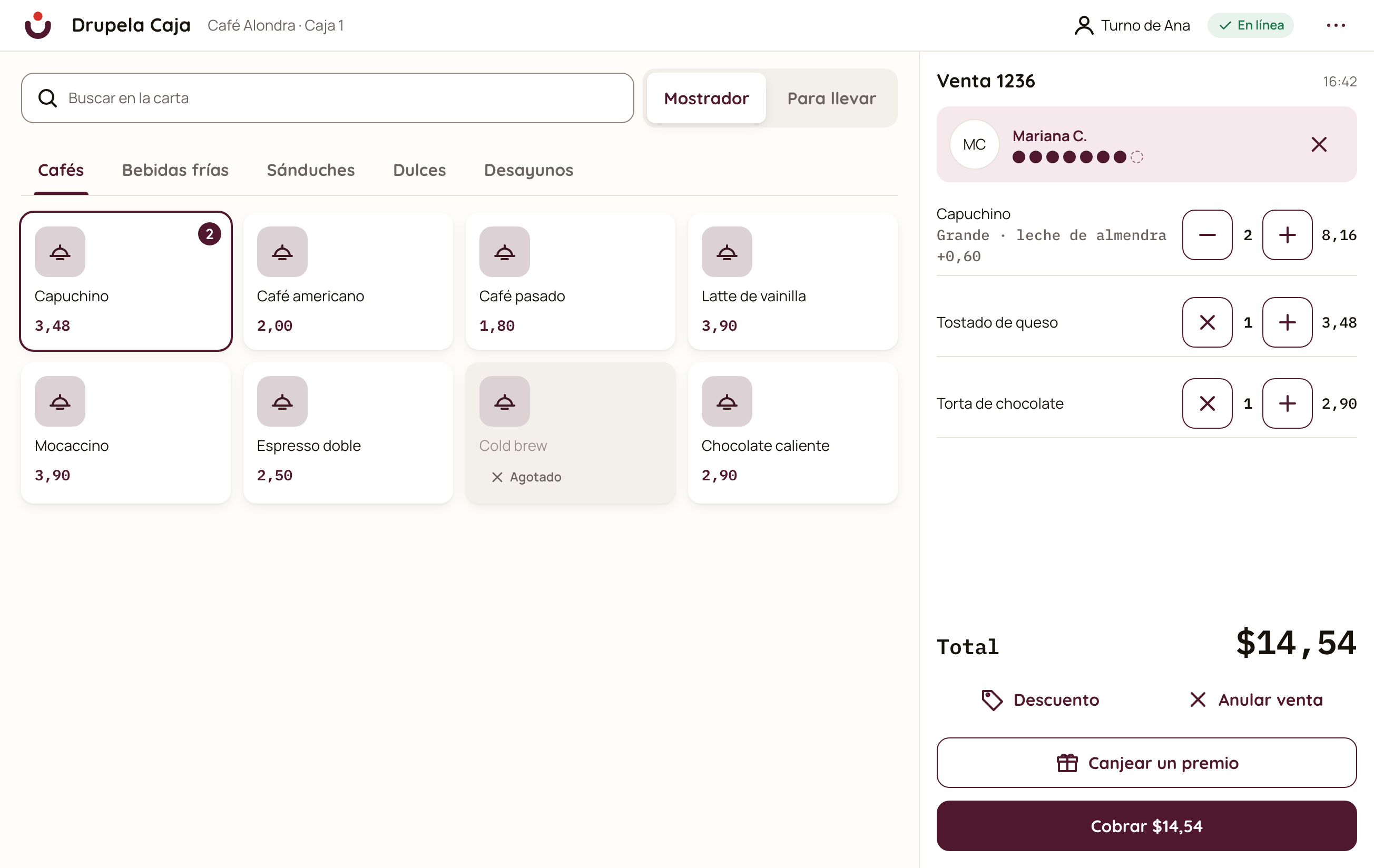
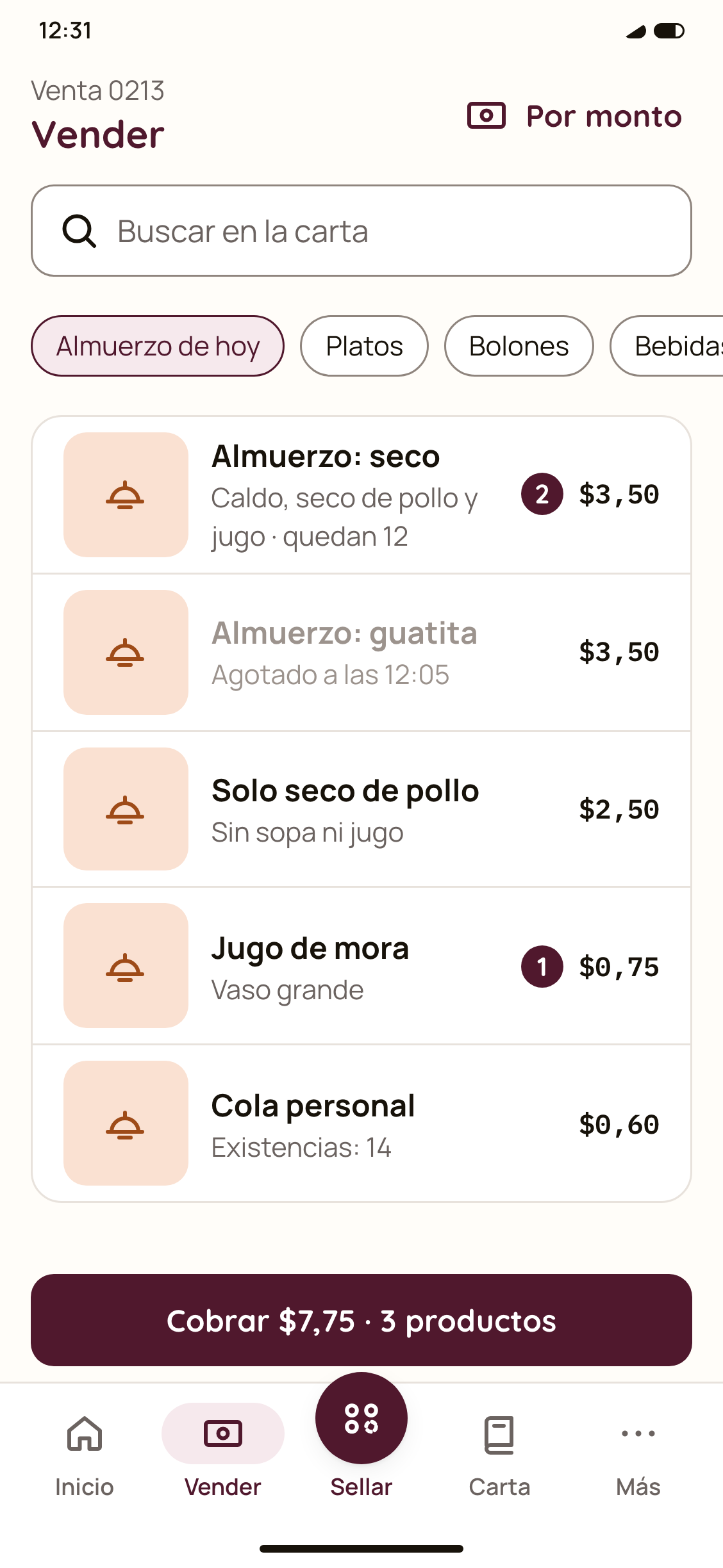
Concept mockups with fictional data.
Step by step
How a register day works
From the first sale to closing.
-
You sell from the computer or the phone
Tap the dishes, pick size and extras, and add a note for the kitchen (“no plantain”). If your venue has no printer, the customer gets a digital receipt.
-
You charge however they pay
Cash, card, transfer or two methods in the same sale. Issue the electronic invoice to the customer or as a final consumer, from the same sale.
-
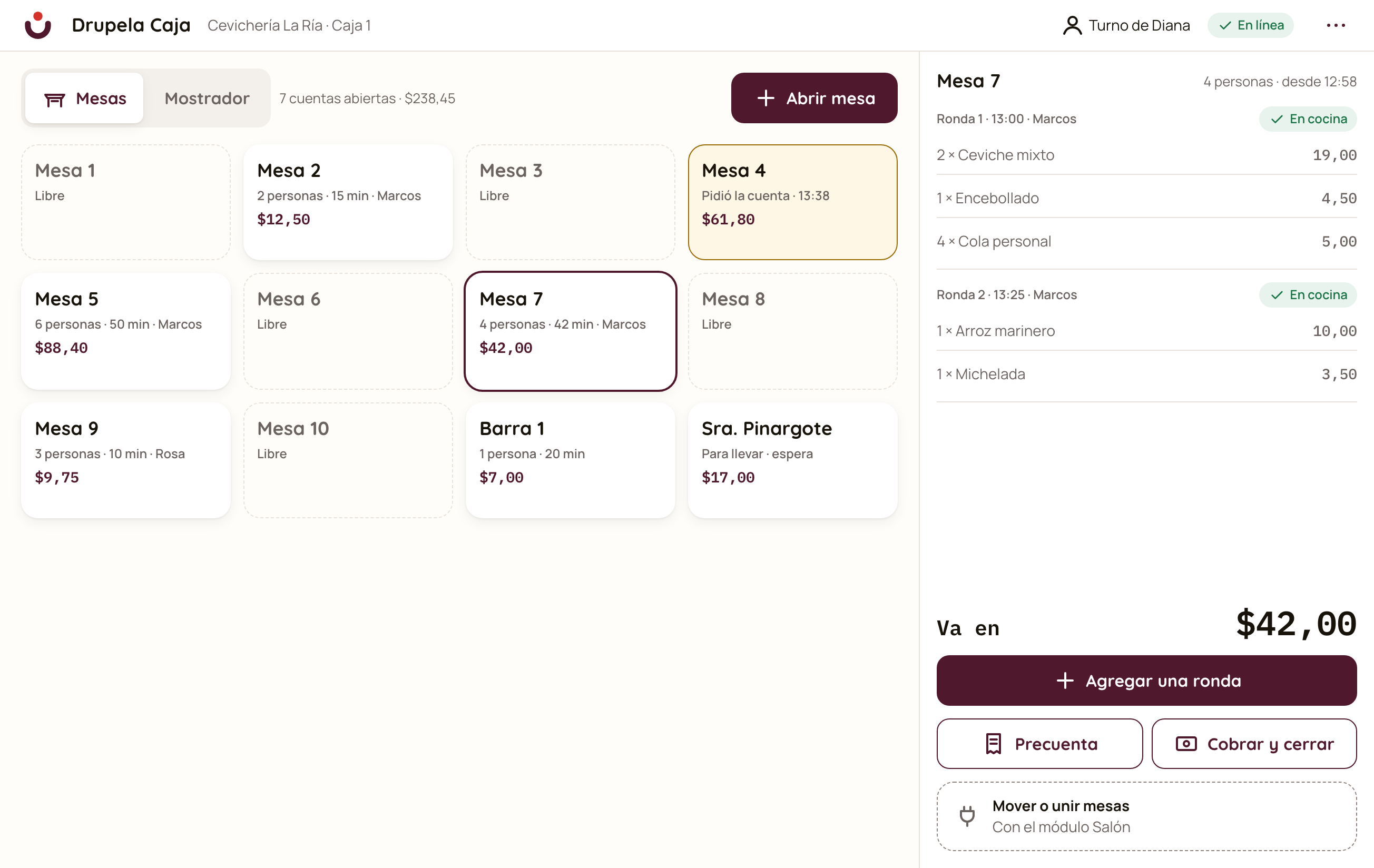
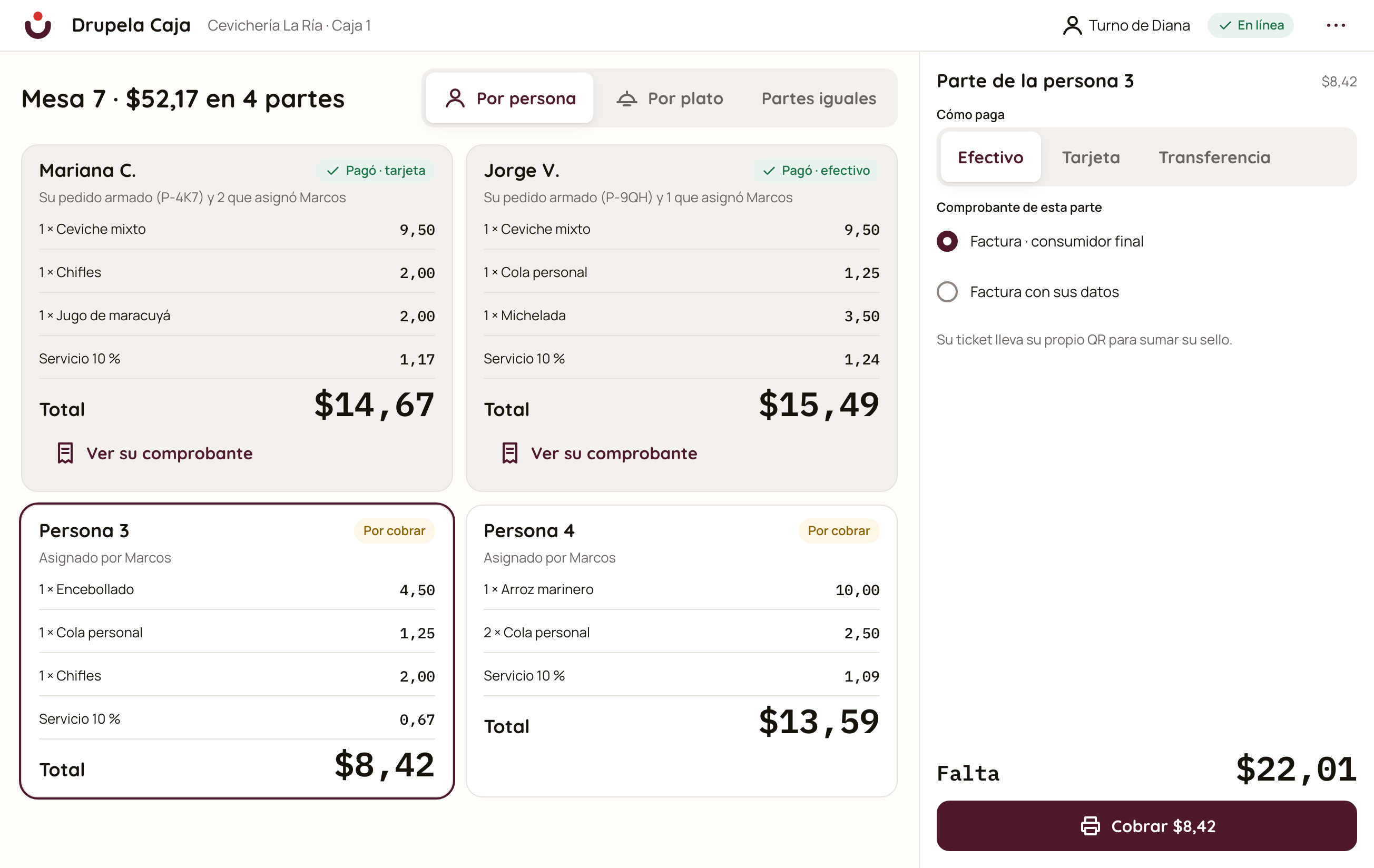
You serve tables and split the bill
Open tables, add rounds from the waiter’s phone and split the bill by dish or in equal parts.
With the Complete plan -
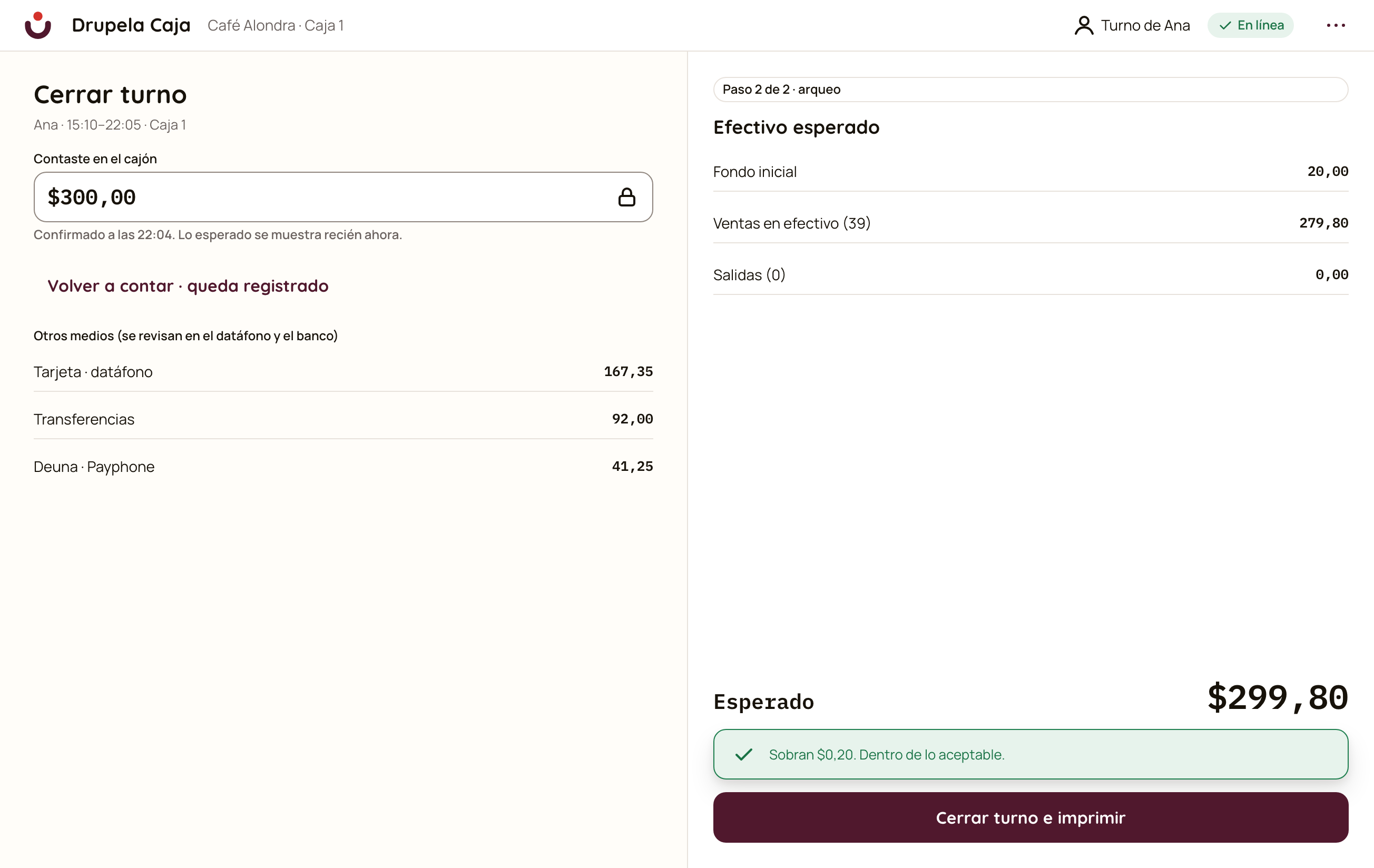
You close the shift counting the cash
Count the cash without seeing what the system expects, and then it shows whether there is a surplus or shortage. If there is a difference, the reason and who authorized it are recorded.
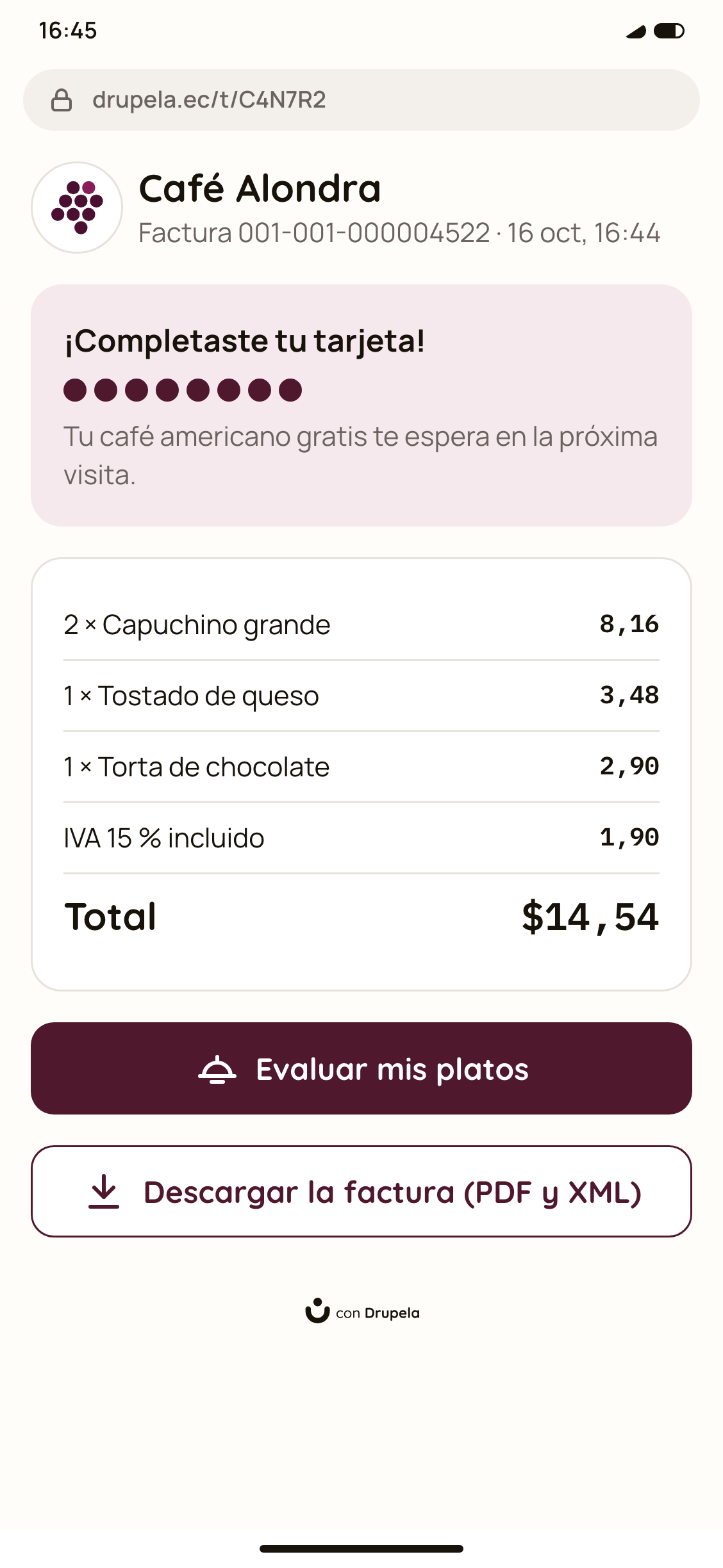
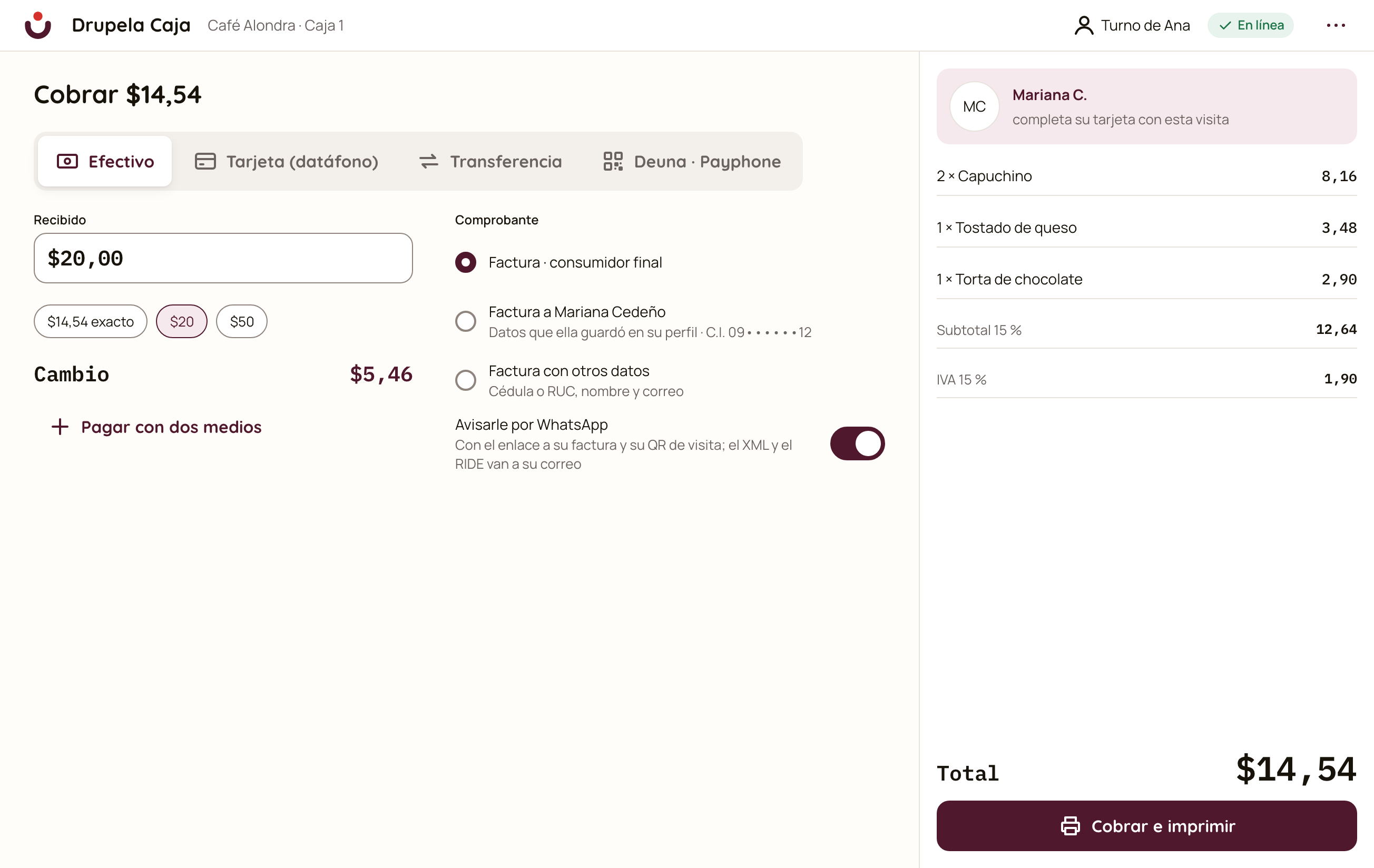
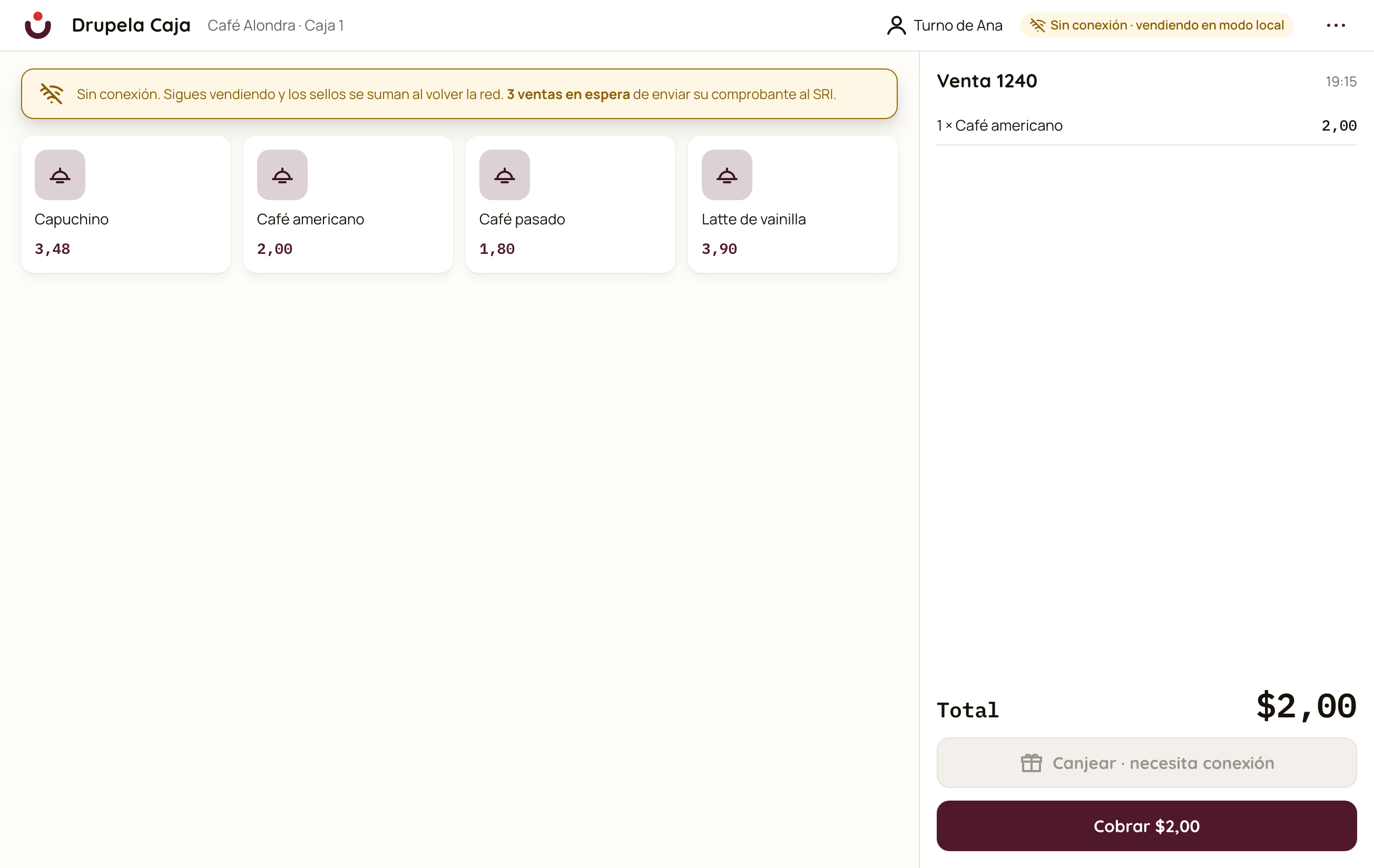
The internet dropped. The register keeps going.
If the connection drops, you keep selling and charging in cash. When it returns, everything syncs by itself.
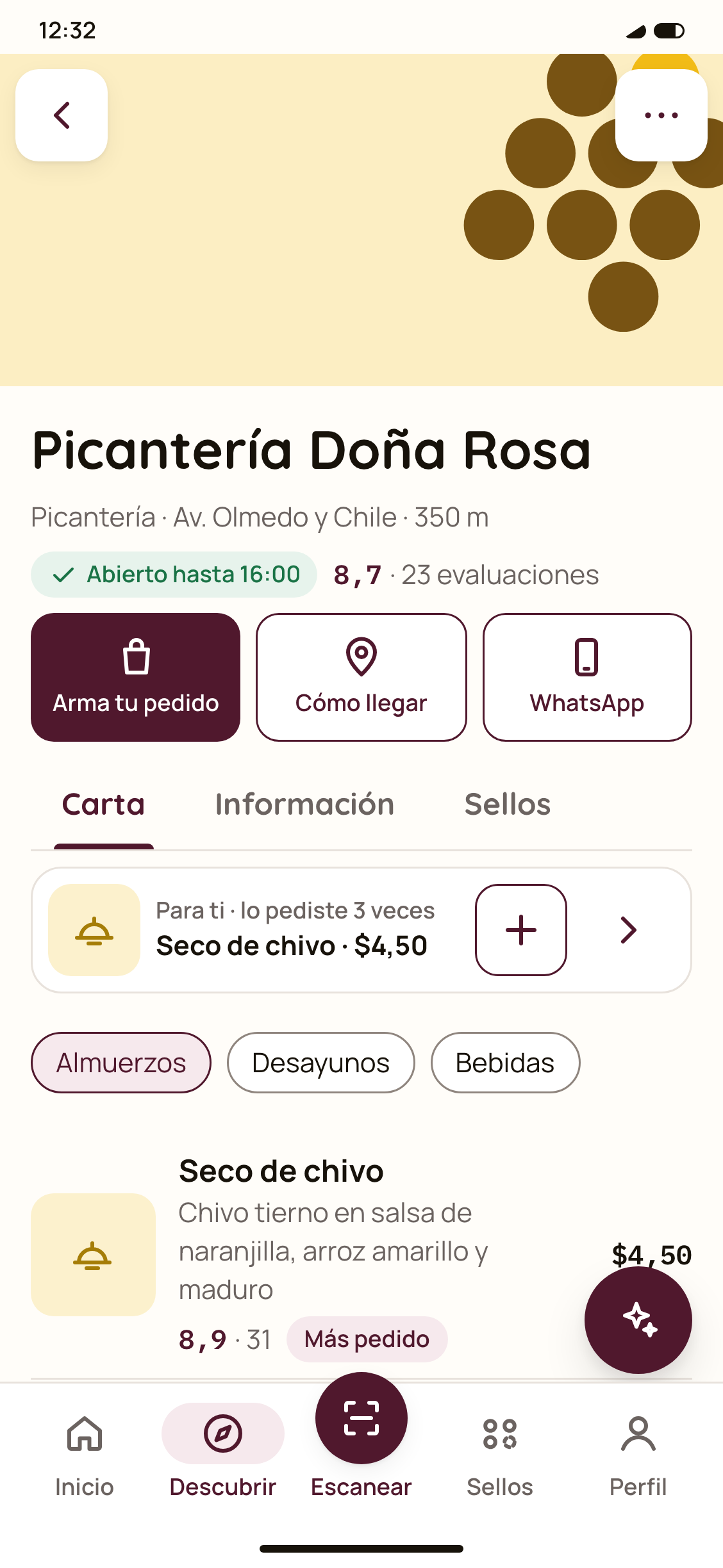
Your QR menu, without reprinting.
Your customers scan the table sign and see your menu with photos, prices and each dish’s score. Change a price and it updates instantly. Opens in the browser, nothing to install, with sizes, extras, tags and hours: breakfast, lunch, dinner.
Your printed menu, ready in minutes.
Take a photo of your menu and the AI moves it into the system with dishes, prices and categories. You review and correct before publishing.
With the Complete plan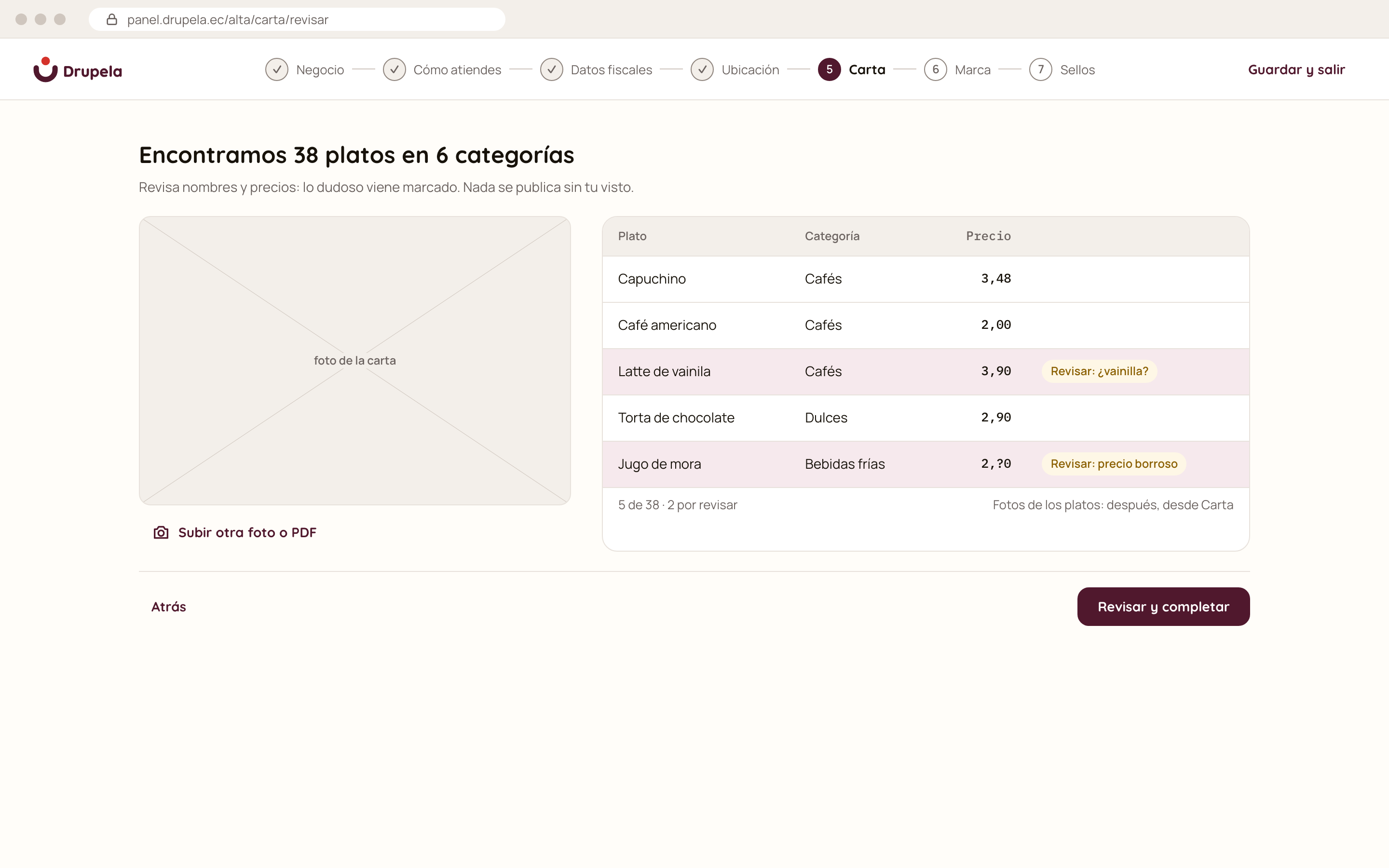
The daily special, in a minute.
Pick today’s soup, main and juice, and it’s ready as an image for your WhatsApp status. You also track the portions left of each dish.
With the Complete plan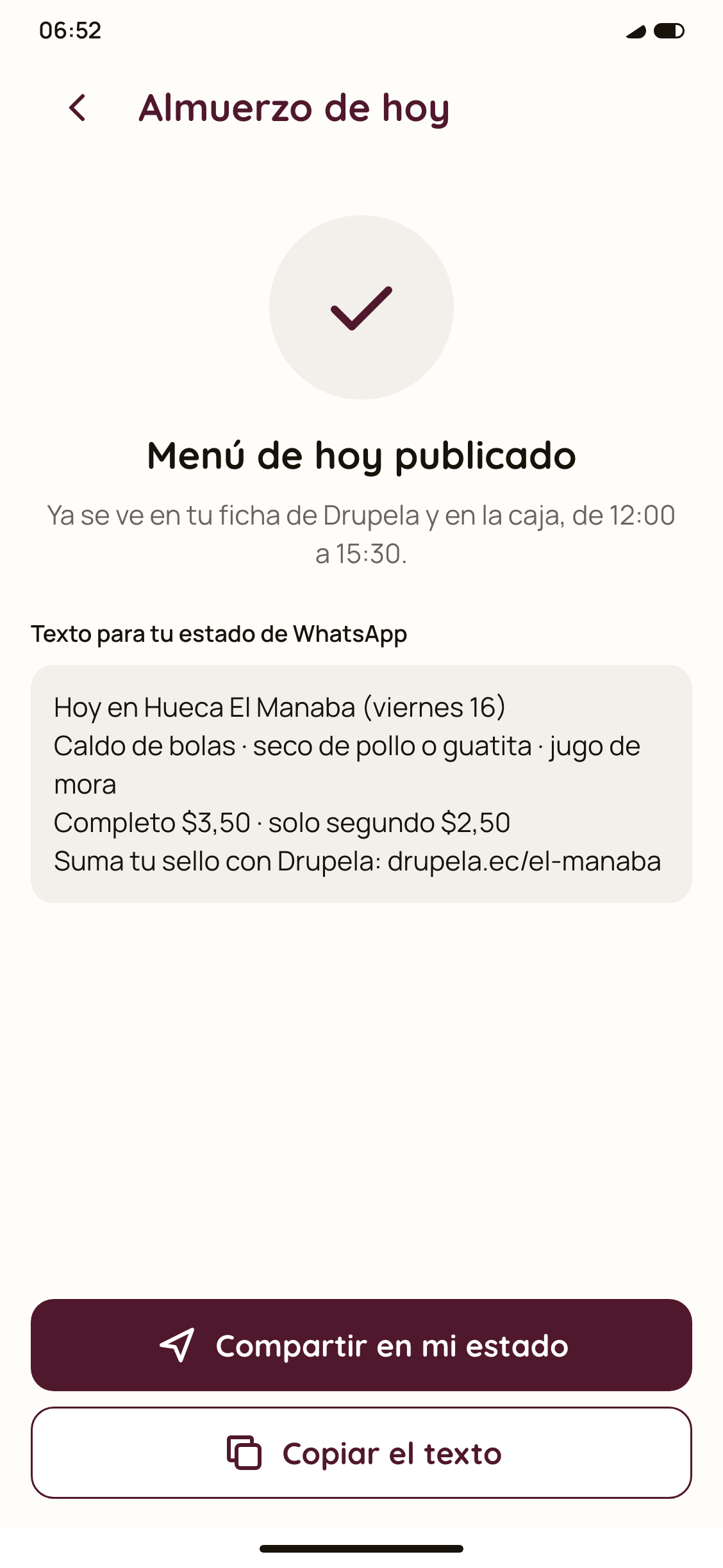
In detail
Everything included
The register and the menu, feature by feature.
Selling
- Computer or phone
The same register at the counter or in your hand.
From the Basic plan - Sizes, extras and notes
The way people actually order.
From the Basic plan - Sell without a menu
A sale by amount, for the day you haven’t loaded the menu yet.
From the Basic plan - No printer
Digital receipt for the customer.
From the Basic plan - The helper’s phone
Each person signs in with their role and PIN.
From the Basic plan - Offline
Keeps selling and syncs later.
From the Basic plan
Charging and closing
- Several payment methods
Cash, card, transfer or two in the same sale.
From the Basic plan - Electronic invoice
To the customer or as a final consumer.
From the Basic plan - Discounts with PIN
Only someone with permission authorizes them.
From the Basic plan - Cash in and out
For the gas, the ice or the change.
From the Basic plan - Void with a reason
It records who voided and why.
From the Basic plan - Blind close
Count without seeing the expected amount and see the difference.
From the Basic plan
Floor
- Floor tables
Open, occupied and to be paid, at a glance.
With the Complete plan - Rounds from the phone
The waiter adds orders from the table.
With the Complete plan - Split the bill
By dish or in equal parts.
With the Complete plan - Orders built by the customer
The customer builds their order and the waiter scans it.
With the Complete plan
Menu
- QR menu
Table sign included.
From the Basic plan - Complete dishes
Photos, sizes, extras, tags and hours.
From the Basic plan - Menu from a photo
The AI moves it into the system.
With the Complete plan - Daily special
Ready for the WhatsApp status.
With the Complete plan - Portions and stock
What’s left of each dish, with adjustments and a reason.
With the Complete plan
Frequently asked questions
Frequently asked questions.
What venue owners usually ask.
Do I need a printer?
No. You can sell and charge from the phone and the customer gets a digital receipt. If you have a printer, it prints too.
What happens if the internet drops?
The register keeps selling and charging, and syncs when the connection returns. Redeeming rewards does need a connection.
Does it issue electronic invoices?
Yes, to the customer or as a final consumer, from the same sale.
Do my customers have to install anything to see the menu?
No. They scan the QR and the menu opens in the browser.
I already have a register. Can I start with Shifts only?
Yes. Shifts works on its own, for $13.80 a month incl. VAT. When you want to switch registers, you move to Complete for $27.60 incl. VAT and keep Shifts, without reloading your venue or your team.
A project reference, not an active offer.
This module is part of Drupela’s product vision. Its pricing, availability and conditions will be confirmed when appropriate. This page does not offer a free trial or activation.


Let’s talk
Behind Drupela, it’s me. Joel.
Tell me how your venue works. We can talk about the Drupela vision and your needs.
WhatsApp +593 96 329 3332 [email protected]
Joel Bermúdez Acosta (Drupela) uses your contact details to answer your questions, explain the service and handle a possible subscription. Details in the Privacy policy (Spanish).
Joel Bermúdez Drupela · Guayaquil, Ecuador